Tools & Downloads
The SymplProcess Desktop App
One place on your computer for the offline tools. Open the app, click a tool, and work. Everything saves to one folder you can always find.
Version 0.2.0. Windows 10 or 11, 64-bit. The installer needs no admin rights and adds a SymplProcess shortcut to the desktop and Start menu. The portable version runs from any folder or USB stick.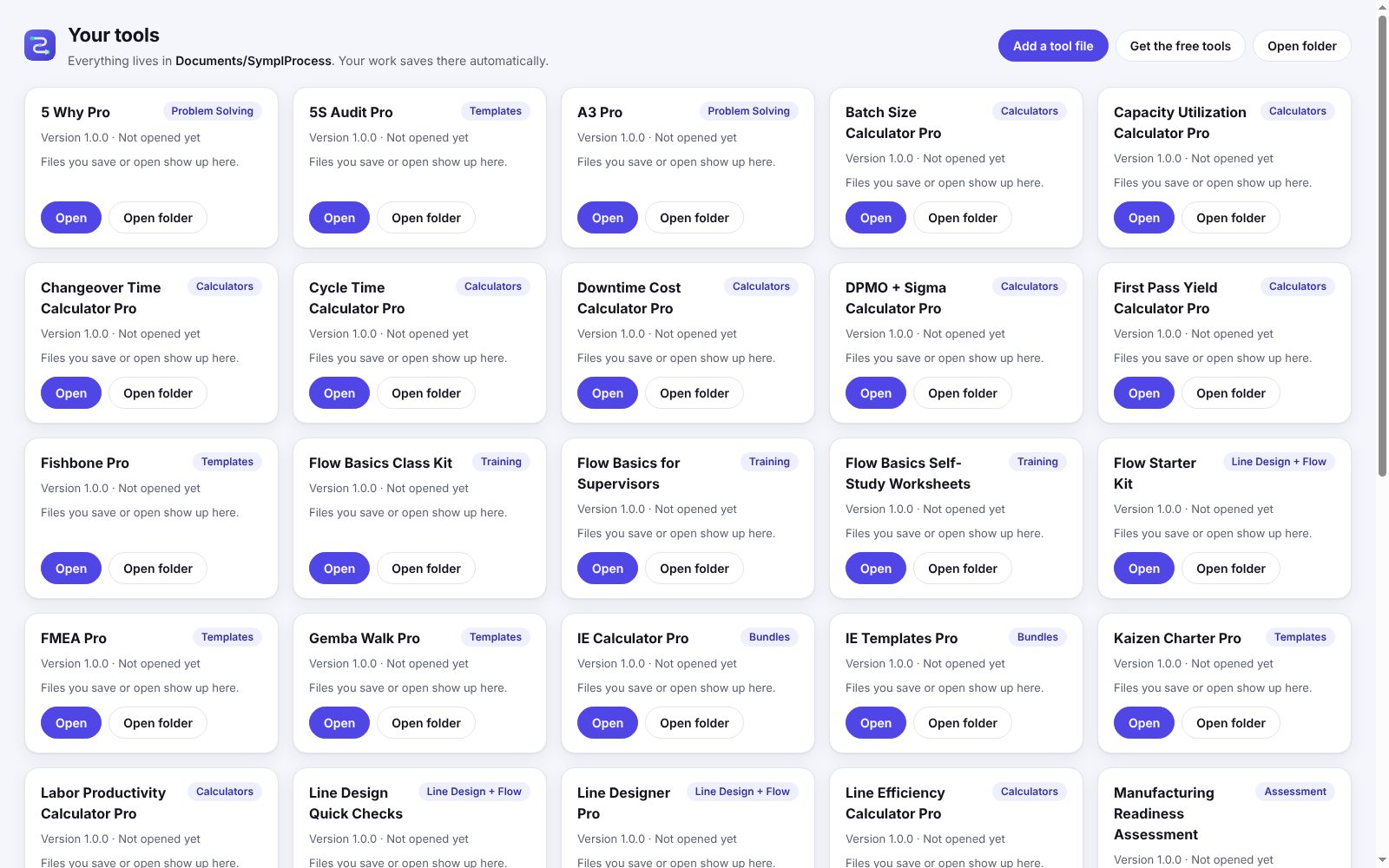
What It Does
- One folder for everythingYour tools live in Documents\SymplProcess\Tools. Each tool has its own folder next to it, like Documents\SymplProcess\A3 Pro, and every file you save goes there. No Save As box, no hunting through Downloads.
- Saves automaticallyWork saves as you type. If the computer restarts or you close the window, the tool opens where you left off. The last ten autosaves are kept, so a bad edit is easy to undo.
- Opens your recent filesEach tool card in the app lists the files you saved or opened lately. Click one and the tool opens with it loaded.
- Works offlineTools run on your computer with no internet. They cannot reach the network at all. Your models, maps and A3s never leave the machine.
- Your tools stay licensed to youAdd the tool files you already downloaded. Bought copies keep your name and license; nothing about your license changes.
Getting Started
- Install the appRun SymplProcess-Setup.exe. Windows may warn that the app is from an unknown publisher; choose More info, then Run anyway.
- Add your toolsClick Get the free tools to pull every tool in at once, or click Add a tool file and pick the tool files you downloaded from this site or your account. The app copies them into Documents\SymplProcess\Tools.
- Open a tool and workIt saves as you go. Save file puts a copy in the tool's own folder and tells you where.
What the App Connects To
- When you click Get the free tools or UpdateIt downloads those tool files from symplprocess.com.
- Update check, at most once a dayIt asks symplprocess.com for the current version numbers of the app and the tools, and for the app installer if a new one is out. Turn this off in the app with "Check for updates automatically"; then it only checks when you click Check for updates.
- Links you clickStore, account and feedback links open in your normal browser.
Your work files never leave your computer. The app sends no file, file name, or usage data. App updates download in the background and install only when you click Restart now, or the next time you quit.
Updating Tools
- Free copiesWhen a tool has a new version, its card shows Update. One click downloads it. The old copy is kept until the new one opens.
- Bought copiesYour copy carries your license, so the app cannot fetch it for you. The card says a new version is out; download it from your account and add it to the app. Your work carries over.