Pick the modeler for your line or shop
Three tools, three kinds of work. Each takes your own rates, steps and times and gives back people, machines, the bottleneck and output.
-
A production line
Floor Simulator
A new line, a rate change or a layout: you have a rate and a routing and need stations, machines, people and flow time.
What does the whole line look like at this rate?
Sizing a whole line at a rate: machines, people, Max rate and flow time, simple first, with a live 2D and 3D floor.
In the Complete plan, $19 a month, or $249 once as an offline file.
Pick Process Modeler instead when the line exists and you only need staffing and throughput.
Pick Line Designer Pro instead when a quick station-by-station design against takt is enough.

Floor Simulator. One Page: the sample line at 40 units/month: 51 people, 11 machines, Max Output 47.3 units/month, flow time 7.3 days, Bottleneck Electronics Sub-Assy S3, the value stream and the ramp. -
A staffing flow
Process Modeler
A fulfillment flow, a repair flow, an office process, or the heads on a line that already exists: steps, cycle times and who goes where.
How many people, where, and what output?
Staffing and throughput for one multi-step flow, such as a line, a pick, pack and ship flow, or a repair process: who goes where, what the bottleneck is, what output you get.
In the Complete plan, $19 a month, or $149 once as an offline file.
Pick Mixed Shop Modeler instead when many part numbers or work order types share the same machines, test stands, or bays and setups drive capacity.
Pick Floor Simulator instead when you are sizing a whole line at a rate and want machines, people, flow time and a live floor.
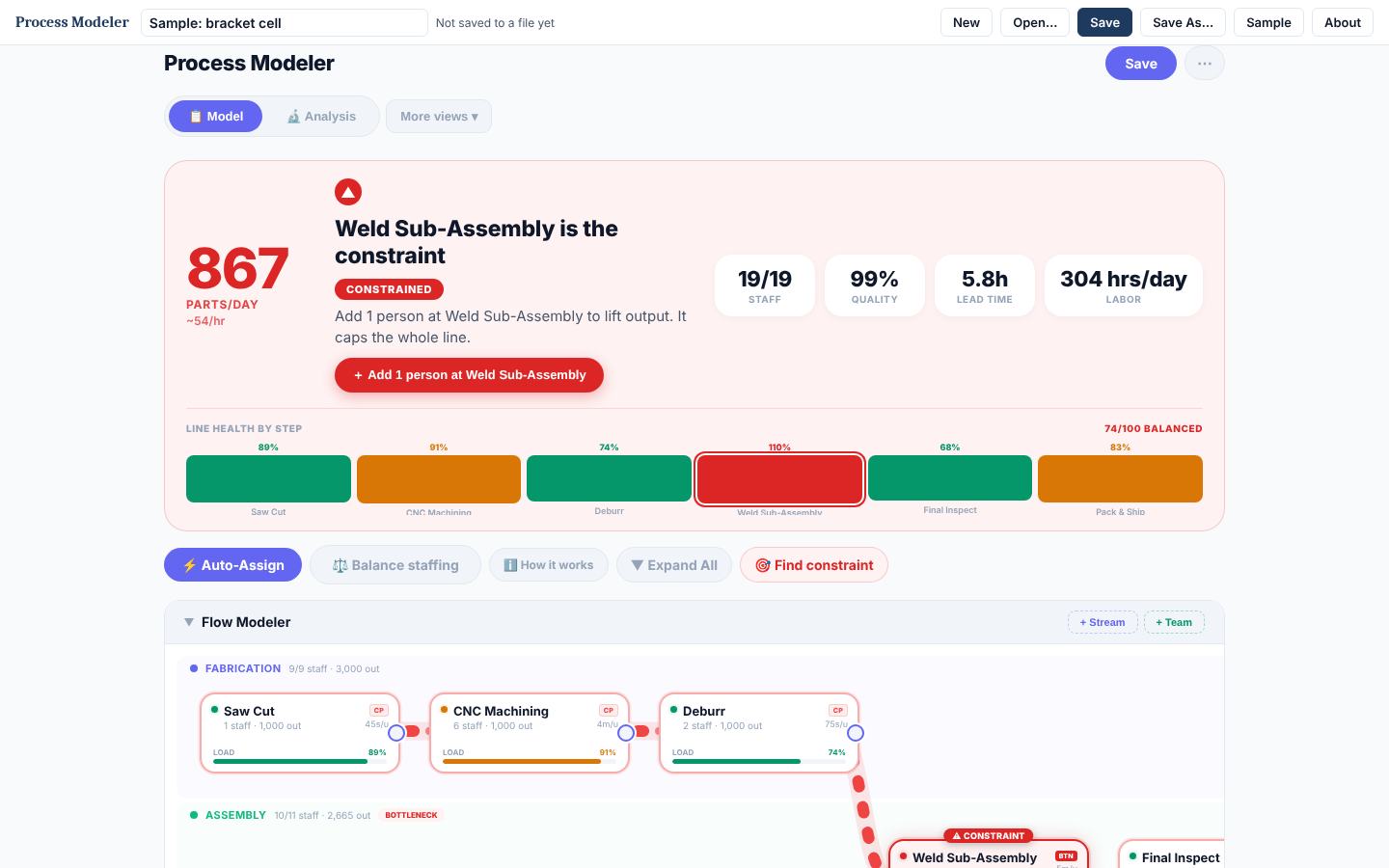
Process Modeler. Model: the constraint, output per day, and line health by step. -
A high-mix or repair shop
Mixed Shop Modeler
Many part numbers or work order types sharing the same machines, test stands or bays, where setups eat capacity.
Do my machines and stands have room for this mix?
Resource load in a high-mix or repair shop: many parts or work order types, routings and setups across shared machines, test stands, and bays.
In the Complete plan, $19 a month, or $179 once as an offline file.
Pick Process Modeler instead when it is one flow line and the question is staffing per step.
Pick Floor Simulator instead when you need the whole line at a rate, with a live floor.
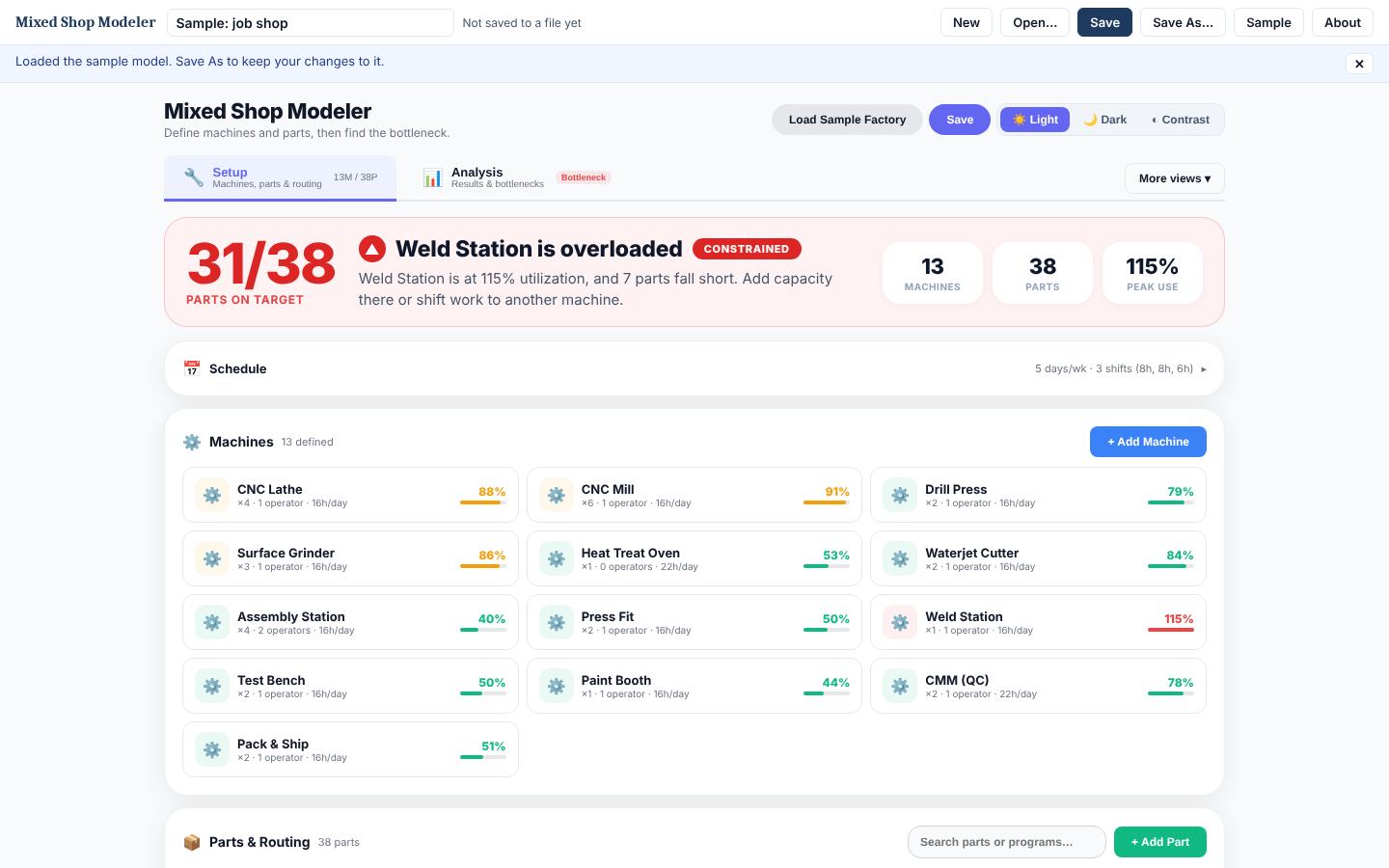
Mixed Shop Modeler. Setup: machines with their load, and the overloaded one called out.
Side by side
| Row | Floor Simulator | Process Modeler | Mixed Shop Modeler |
|---|---|---|---|
| The work | A production line | A staffing flow | A high-mix or repair shop |
| The question | What does the whole line look like at this rate? | How many people, where, and what output? | Do my machines and stands have room for this mix? |
| You model | Work centers and hrs first; operations, parts and the floor when you turn them on | Steps, streams, headcount by team | Machines or stands, parts or work orders, routings, setups |
| Best for | New production lines, rate changes, layouts | Assembly lines, fulfillment and repair flows, office processes | Job shops, high-mix machining, repair shops with shared test stands |
| Runs as | One HTML file, Chrome or Edge | One HTML file, any browser | One HTML file, any browser |
| Price | In the Complete plan, $19 a month, or $249 once | In the Complete plan, $19 a month, or $149 once | In the Complete plan, $19 a month, or $179 once |
| Free | 2-day trial | 2-day trial, and a free web version | 2-day trial, and a free web version |
All three are in the Complete plan, $19 a month, with everything in Professional.